Loved PDF-File.com? Spread the word!
Help us keep these tools free: Share with your friends!

// pdf reader and editor
Merge, compress, convert and sign PDFs with free PDF tools that work in any browser. Nothing to install, and no account to create.
// all tools
// browse by category
// privacy
Uploaded files are deleted automatically within two hours. No account, no watermark on your finished file, and nothing is shared.
// about the toolkit
Every tool is available without account creation, and PDF-File.com does not add a watermark to your finished file. Use the toolkit from a desktop, mobile device, or Chromebook browser, and use our Remove Watermark tool for documents you own or are authorized to edit.
The list above holds more than 90 free PDF tools in five groups, and the same list is on the All PDF Tools page. This section explains what each group does, how the site treats the files you upload and where the limits are, so you can pick the right tool the first time.
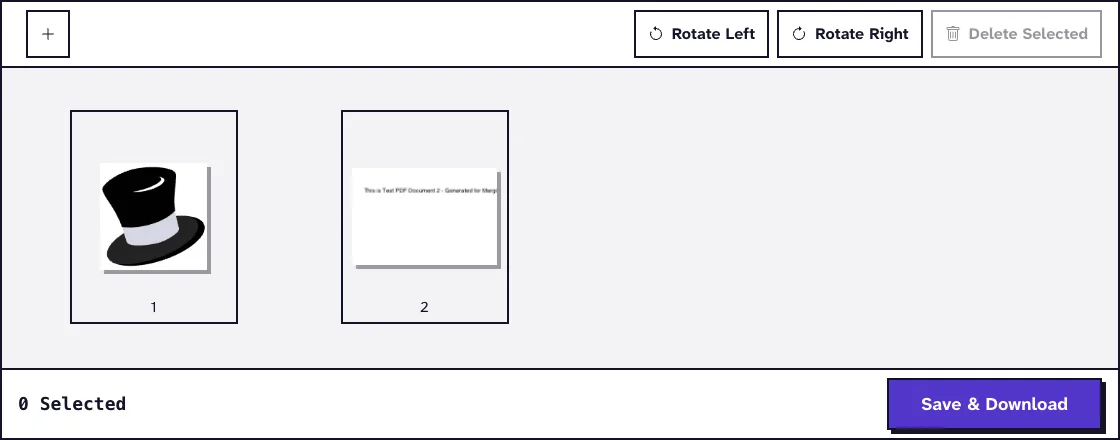
Merge PDF joins several PDFs into one file in the order you set, and its page view lets you rotate or delete pages before you save. Split PDF works the other way round: it turns every page into its own file, or cuts the document at the page ranges you type, and you download the parts as a ZIP.
Organize PDF shows each page as a thumbnail that you drag into a new order, rotate or delete. Other tools in this group add page numbers, a watermark, a stamp or an image, crop pages, compare two PDFs and edit the title, author and other metadata of a file.
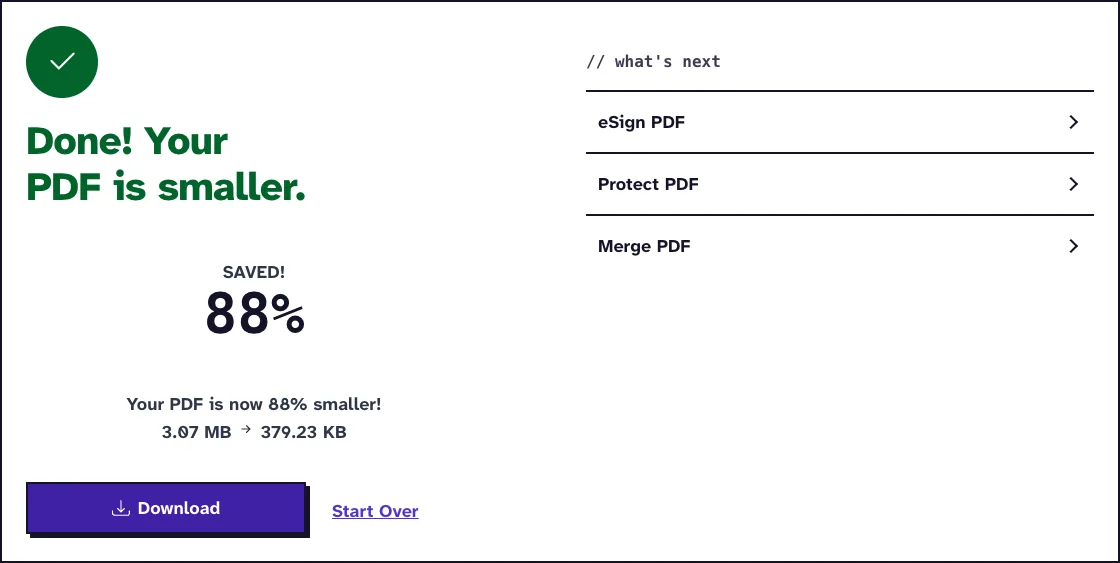
Compress PDF offers three strengths, Light, Recommended and Max, and uses Ghostscript, the PostScript and PDF interpreter, to bring images down to 200 DPI at Light, 110 to 150 DPI at Recommended (depending on file size) and 72 DPI at Max. In our October 2026 test, the default Recommended level turned a 3.1 MB, 12-page PDF of our own app screenshots into a 379.2 KB file. Most of the saving comes from images, so a PDF that is mostly text shrinks far less.
Grayscale PDF converts every page to shades of gray, and Repair PDF rewrites a damaged file with Ghostscript and tells you when it cannot be repaired. Flatten PDF turns form fields and comments into fixed page content, and PDF to PDF/A makes a copy in the archiving format.
The Portable Document Format was developed by Adobe in 1993 and has been an ISO standard (ISO 32000) since 2008. Word to PDF, Excel to PDF and PowerPoint to PDF convert office files on our server with LibreOffice, the free and open source office suite. ODT to PDF, ODS to PDF and ODP to PDF use LibreOffice as well.
JPG to PDF, PNG to PDF, BMP to PDF and TIFF to PDF place each picture on its own page, with a choice of page size (A4, Letter or Fit to Content), orientation and margin, and can merge all images into one PDF. Further converters take HEIC, GIF and PSD images, EPUB and FB2 ebooks, Markdown, HTML and live web pages.
PDF to Word turns the text of a PDF into an editable DOCX file with Ghostscript. It reads the text stored in the PDF and has no OCR of its own. For a scanned document, OCR PDF recognizes English text with Tesseract and lays it over each page image as an invisible layer, where you can select and copy it.
PDF to JPG and PDF to PNG render every page as an image at 300 DPI, JPG at the highest quality setting and PNG in a lossless format. Extract PDF Images pulls out the pictures embedded in the file instead of whole pages. Other converters export to Excel, CSV, PowerPoint, plain text, HTML, JSON and OpenDocument formats.
Protect PDF locks a file with a password and 256-bit AES encryption using qpdf, so nobody can open it without the password. Unlock PDF removes the password when you type it, so you no longer have to enter it each time you open the file. It cannot recover a forgotten password.
Fill PDF Form fills text fields, checkboxes, dropdowns, radio buttons and option lists in PDFs that have fillable form fields, and the fields stay editable afterwards. It works only on PDFs that already have fillable fields.
eSign PDF lets you draw, type or upload a signature and place it on a page, all inside your browser. It adds a picture of your signature, not a certificate-based digital signature, so check what the recipient accepts for a contract that needs one.
Merge PDF, Organize PDF, Rotate PDF, Remove PDF Pages, eSign PDF, PDF Dark Mode, PDF to ZIP, PDF to JSON and PDF Reading Time work entirely in your browser. The file never leaves your device, which makes these the best choice for confidential documents.
The other tools upload your file over HTTPS and convert it on our server with open source programs such as Ghostscript, LibreOffice, qpdf and Tesseract. Uploads and results are deleted automatically about one hour after upload, some right after the conversion. The cleanup runs about once an hour, so a file can occasionally stay up to two hours.
Each file can be up to 25 MB, except in PDF to BMP (10 MB) and Extract PDF Tables (100 MB), and your browser checks the size before anything is uploaded. Our terms of use also set a fair-use limit of 50 conversions a day.
Yes. Every tool on PDF-File.com is free to use, with no account, no trial period and no paid plan that unlocks extra features.
No. The tools run in a current web browser on a computer, Chromebook, tablet or phone, and there is no account to create.
No. PDF-File.com never adds its own watermark or logo, and Add Watermark only places the text you type. The one tool that writes our name into its output is Report Generator, which prints "Generated by PDF-File.com" and the page number in the footer of the report it creates.
Uploads travel over HTTPS and are deleted automatically, at the latest about two hours after upload, but they are not encrypted while they wait on our server. For documents that must not leave your computer, use the browser tools named above, such as Merge PDF or eSign PDF.
Not in place, because no tool here changes the existing text of a PDF. Convert the file with PDF to Word, edit it in Word or LibreOffice Writer, then turn it back into a PDF with Word to PDF.
Merge PDF, Split PDF and Organize PDF copy pages as they are, so nothing is recompressed. Compress PDF lowers image resolution on purpose, and PDF to JPG and PDF to PNG render each page at 300 DPI.
25 MB per file for almost every tool. PDF to BMP accepts up to 10 MB and Extract PDF Tables up to 100 MB.
Loved PDF-File.com? Spread the word!
Help us keep these tools free: Share with your friends!